
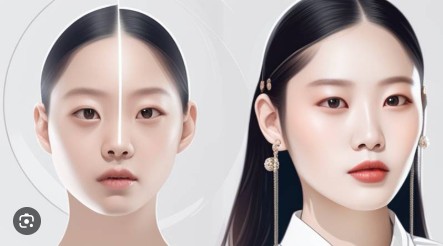
AI-powered video editing has rapidly evolved, and face swapping technology is now more accessible than ever. Among the growing number of tools in this space, Vidqu AI Face Swap stands out as a powerful, user-friendly, and highly realistic solution for creators, marketers, and casual users alike. In this review, we’ll take a deep look at Vidqu’s Face Swap tool, its features, usability, and why it has become a popular choice for video face transformation.
What Is Vidqu AI Face Swap?
Vidqu AI Face Swap is an advanced online tool designed to seamlessly replace faces in videos using artificial intelligence. Unlike traditional video editing software that requires technical skills, Vidqu simplifies the entire process. Users can upload a video, select a target face, and let the AI handle the rest—delivering smooth, realistic, and high-quality results in minutes.
Whether you’re creating entertaining social media content, experimenting with creative storytelling, or producing marketing videos, Vidqu’s faceswap video tool offers a fast and reliable solution without the need for downloads or complex software.
User-Friendly Interface and Simple Workflow
One of Vidqu’s biggest strengths is its intuitive interface. The platform is web-based, meaning users can access it directly from their browser. The workflow is straightforward:
- Upload your video
- Upload the face image(s)
- Let the AI process the swap
- Download the final result
This simplicity makes Vidqu ideal for beginners while still being powerful enough for experienced content creators. No advanced editing skills are required, and the AI handles face detection, alignment, lighting, and blending automatically.
High-Quality and Realistic Results
Vidqu’s AI engine excels at producing natural-looking face swaps. Facial expressions, head movements, and lighting conditions are preserved with impressive accuracy. The swapped faces blend smoothly into the original video, avoiding the uncanny or artificial look that many lower-quality tools produce.
For creators who need realistic outputs—such as short films, parody videos, or promotional clips—Vidqu delivers professional-level results with minimal effort. This makes the video face swap feature particularly appealing for content intended for public viewing.
Multiple Face Swap Capabilities
A standout feature of Vidqu is its support for swapping more than one face in a single video. This is especially useful for group videos, skits, or scenes with multiple characters. Instead of processing each face individually, Vidqu allows users to handle all swaps at once, saving time and ensuring consistency.
This multiple face swap video capability opens up creative possibilities for memes, entertainment videos, and collaborative projects. It’s a feature that many competitors lack or limit behind complex workflows.
Versatile Use Cases
Vidqu AI Face Swap is suitable for a wide range of applications:
- Social media content: Create engaging, shareable videos for platforms like TikTok, Instagram, and YouTube
- Marketing and advertising: Customize promotional videos with different faces for localized campaigns
- Entertainment and parody: Produce fun, humorous, or experimental videos
- Creative storytelling: Explore alternate casting ideas or character transformations
Because the tool is fast and browser-based, it’s easy to test ideas and iterate quickly.
Privacy and Security
Vidqu also places importance on user privacy. Uploaded content is processed securely, and users don’t need to install any third-party software. This makes it a safer option for individuals and businesses concerned about data protection.
Final Verdict
Vidqu AI Video Face Swap is a reliable, efficient, and high-quality solution for anyone looking to perform face swaps in videos. Its intuitive design, realistic results, and support for multiple face swapping make it a standout tool in the AI video editing space. Whether you’re a casual user experimenting for fun or a professional creator seeking polished results, Vidqu delivers excellent value.